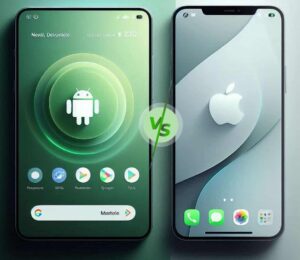
Android vs. iOS 2026: Feature Comparison and Philosophical Differences
Introduction: Two Philosophies, One Ultimate Choice
When you’re buying a new phone in 2026, your decision ultimately comes down to two camps: Apple iOS or Google Android. Both operating systems have matured into powerful, sophisticated platforms, yet they remain fundamentally different in their core philosophies. Android is an open platform built on flexibility, customization, and choice—you can tweak settings, install third-party software, and select from hundreds of devices across every price point. iOS is a closed ecosystem that delivers a controlled, curated experience focusing on simplicity, security, and seamless integration across Apple devices .
These aren’t merely technical distinctions—they’re worldviews about how technology should interact with human life. This comprehensive comparison examines the annual feature updates for iOS 26 and Android 16, then explores how each platform’s philosophical foundation shapes everything from customization options to security, app ecosystems, and long-term value.
Part 1: The 2026 Feature Showdown – iOS 26 vs. Android 16
iOS 26: Refined Intelligence and Visual Elegance
Apple’s iOS 26 delivers what the company does best: polish, integration, and AI-powered features that feel intuitive rather than experimental. The headline addition is Apple Intelligence, which brings generative AI capabilities throughout the operating system while maintaining Apple’s privacy-focused, on-device processing approach .
Key iOS 26 Features:
The Liquid Glass design represents Apple’s most significant visual overhaul since iOS 7. Initially, there were readability and contrast concerns, which Apple addressed in iOS 26.1 with toggles for “Clear” and “Tinted” glass aesthetics . This responsive approach to user feedback demonstrates Apple’s commitment to polish, even as it pushes design boundaries.
Android 16: Incremental Refinement with AI Depth
Android 16 takes a more measured approach to updates, focusing on depth rather than dramatic reinvention. The system builds on Android’s AI strengths while laying groundwork for future visual changes expected in Android 17.
Key Android 16 Features:
Android 16’s blur and translucency updates build on work started in Android 16 QPR1, which first added blur effects to notification and Quick Settings panels. Reports describe Android 17’s planned blur as “more subtle and restrained” than Apple’s aggressive translucence, suggesting Google aims to modernize the interface while maintaining usability .
The Verdict on 2026 Features
According to PCMag’s comprehensive testing, iOS 26 narrowly edges out Android 16 for its cohesive AI integration and visual overhaul. However, Android maintains advantages in experimental features and generative AI versatility . The true winner depends on whether you prefer Apple’s polished implementation or Google’s broader, more flexible approach.
Part 2: The Philosophical Divide – Openness vs. Control
Android’s Philosophy: Freedom Through Openness
Android’s core philosophy is rooted in openness and choice. As an open-source platform, it allows manufacturers and users to modify nearly every aspect of the experience. This philosophy manifests in several key areas:
Hardware Diversity: Unlike Apple’s single-vendor approach, Android runs on devices from dozens of manufacturers—Samsung, Google, Xiaomi, OnePlus, and many others. This creates an unprecedented range of choices, from budget phones under $200 to innovative foldables like the Samsung Galaxy Z Fold 7, which can exceed $2,000 .
Software Flexibility: Users can install apps from alternative sources beyond Google Play Store, replace default apps with third-party alternatives, and even modify system behavior through custom launchers and icon packs . Power users can root their devices for complete system access, though this carries security risks .
Customization Depth: Android’s Material You design philosophy embraces personalization. Users can rearrange icons anywhere on the home screen, mix app shortcuts with resizable widgets, apply custom themes, and change default apps for browsers, SMS, dialers, and more .
The Trade-Off: This openness comes with complexity. Settings can be buried in menus, features vary between manufacturers, and the learning curve is steeper for users who want to master their devices .
iOS’s Philosophy: Excellence Through Control
Apple’s iOS philosophy prioritizes a curated, consistent experience across all devices. By controlling both hardware and software, Apple ensures predictability, stability, and security.
Hardware Consistency: iOS runs exclusively on Apple devices—iPhones, iPads, and iPod touches. This limited hardware ecosystem means every app works reliably across all supported devices, and updates roll out simultaneously to every compatible iPhone worldwide .
Software Curation: Apple’s App Store enforces strict review guidelines, ensuring apps meet quality and security standards before reaching users. While this limits flexibility, it dramatically reduces malware risk .
Simplified Experience: iOS is designed to “just work” out of the box. Settings follow logical structures that remain consistent across versions, gestures work identically on every model, and features like AirDrop, iMessage, and FaceTime require zero configuration .
The Trade-Off: This control limits customization. Users cannot change default apps for many functions, install third-party launchers, or deeply modify system appearance without complex workarounds like the Shortcuts app .
Part 3: Customization Deep Dive – How Much Control Do You Really Want?
The customization gap between Android and iOS has narrowed in recent years, but fundamental differences remain.
What You Can Customize on Android
Android’s approach to theming gives users and manufacturers considerable influence over the interface :
Home Screen Freedom: Icons can be placed almost anywhere on the screen, mixed with resizable widgets of various sizes and functions.
Launcher Replacement: Third-party launchers like Nova Launcher or Microsoft Launcher can completely transform the home screen experience, icon layouts, and gesture controls.
Icon Packs and Themes: Many Android phones offer built-in theme stores with custom icon packs, fonts, accent colors, and full visual overhauls affecting quick settings, menus, and system apps.
Default App Selection: Users can change default browsers, SMS apps, dialers, and more, ensuring every link or action routes through preferred services .
Lock Screen Options: Rich always-on display designs, customizable shortcuts, and notification display styles .
What You Can Customize on iOS
iOS customization has expanded significantly but remains more restrained :
Widget Support: Widgets can be added to the home screen, though with more limited sizing and placement options compared to Android.
Lock Screen Styles: Multiple lock screen setups with different clock designs, photo styles, and widgets that can link to Focus modes .
Focus Modes: Customizable notification profiles that adjust which apps and contacts can interrupt you based on time, location, or activity.
App Icon “Hacks”: Creative users can use the Shortcuts app to build custom app icons, though this is more time-consuming than Android’s direct approach.
Always-On Display: Available on compatible devices, but with curated, limited options .
The Customization Philosophy
Android treats customization as a core feature—an invitation to make the device truly yours. iOS treats customization as an enhancement to its core design—enough to feel personal, but never enough to obscure Apple’s vision of how the interface should work .
This difference extends to system behavior. Android users can fine-tune performance profiles, per-app battery optimization, and background activity restrictions. iOS handles these automatically, with fewer user-facing controls .
Part 4: Security and Privacy – The Perception vs. Reality Debate
Security remains one of the most debated aspects of the Android-iOS comparison. The conventional wisdom—that iOS is inherently more secure—holds true in many ways, but the reality is more nuanced.
Why iOS Generally Leads in Security
Apple’s closed ecosystem provides several inherent security advantages :
App Review Process: Every app undergoes human review before appearing in the App Store, making it extremely difficult for malware to infiltrate.
Sandboxing: Apps run in protected environments, preventing malware from accessing system files or other apps’ data.
Direct Updates: Apple pushes security updates directly to all compatible devices simultaneously, ensuring widespread protection.
No Alternative App Stores: The inability to sideload apps (without jailbreaking) eliminates a major malware vector.
Hardware-Software Integration: Tight control over both layers enables security features like the Secure Enclave for biometric data.
Android’s Security Evolution
Android has made tremendous security strides, but the open model creates inherent challenges :
Fragmentation: Security updates depend on manufacturers and carriers, meaning many older devices stop receiving patches.
Alternative App Stores: The ability to install apps from outside Google Play increases malware risk, though Google Play Protect helps monitor for threats.
Market Share Target: Android’s 72% global market share makes it a more attractive target for cybercriminals .
Manufacturer Variations: Security implementation can vary between device makers, creating inconsistent protection levels.
However, modern Android versions include robust protections: permission models that give users granular control, biometric improvements, and Google Play Protect’s ongoing threat monitoring .
Privacy Features Compared
Both platforms now offer comprehensive privacy controls:
The Verdict on Security
Generally, iPhones are more secure than Android smartphones because Apple exerts strict control over its system . However, users on both platforms should take proactive measures: install regular updates, download apps only from official stores, and use security software . For most users, either platform can be sufficiently secure with proper habits.
Part 5: The App Ecosystem – Quality, Quantity, and Monetization
App Store vs. Google Play: By the Numbers
The app ecosystem differences extend beyond mere counts to fundamental economics:
iOS users spend approximately 2.2 times more than Android users despite the smaller user base . This pattern holds across most app categories, from gaming to productivity. During development work with a Seattle e-commerce startup, Hakuna Matata Tech found iOS purchases were 35% higher than Android, aligning with broader demographic data showing iPhone users have higher average household incomes ($53,251 vs. $37,040) .
Exclusive Apps and Launch Timing
Historically, apps launched first on iOS before reaching Android. While this gap has narrowed, exclusives still exist :
iOS-Exclusive Apps: Procreate (professional illustration), Things (task management), and Clubhouse (audio chat) launched first or remain iOS-only .
Android-Exclusive Apps: Tasker (advanced automation) remains Android-only, demonstrating the platform’s power-user appeal .
For businesses planning app launches, this creates strategic considerations. iOS often makes sense for startups targeting high-income users in North America or Western Europe, while Android better serves global audiences and emerging markets .
Developer Experience
The development experience differs significantly between platforms :
iOS Development: Uses Swift with Xcode, targets ~20 iPhone models, supports 88% of devices on latest iOS versions. Development is typically 10-40% faster due to fewer edge cases.
Android Development: Uses Kotlin with Android Studio, targets thousands of devices, must support back to Android 11 (37% share). New developers need 4-6 weeks to become truly productive versus 2-3 weeks for iOS.
Part 6: Hardware and Ecosystem – The Device Landscape
Android’s Hardware Diversity
Android’s greatest strength is choice. You can purchase a respectable Samsung Galaxy A16 5G for under $200, or explore innovative foldables like the Samsung Galaxy Z Fold 7 with prices exceeding $2,000 . This range means there’s an Android device for virtually every budget and preference:
Budget Options: Sub-$200 devices with respectable performance
Mid-Range Champions: $300–$600 phones offering flagship-like features
Photography Flagships: Devices with 200MP sensors and advanced computational photography
Foldables and Experimentals: Folding screens, dual displays, and unique form factors
Gaming Phones: Specialized devices with active cooling and shoulder triggers
Android also offers features unavailable on iPhone, including expandable storage via microSD card, guest user modes, and direct file transfer from computers .
Apple’s Streamlined Ecosystem
iOS runs exclusively on Apple devices, which means limited hardware choices but exceptional integration:
iPhone Lineup: Premium devices ranging from the $599 iPhone 16e to the $1,999 iPhone 17 Pro Max
Ecosystem Integration: Seamless interaction with iPads, MacBooks, Apple Watches, and AirPods
Long-Term Support: iPhones receive 5-7 years of software updates, matching or exceeding Android’s best
Build Quality: Consistently premium materials and fit-and-finish
Features like QuickStart for instant data migration, iMessage payments, and FaceTime work without additional configuration—benefits of Apple’s controlled ecosystem .
Global vs. US Market Share
The platform battle looks different depending on geography :
In Poland, for example, Android dominates lower and mid-range segments while iPhone steadily gains among premium users . In the US, iOS leads with 58% share, reaching 72.6% in trend-forward New York and 66.2% in tech-centric California .
Part 7: Photography and Video – The Computational Era
Mobile photography in 2026 is defined by computational algorithms that determine every aspect of image quality.
iPhone Photography
Apple’s approach remains consistent: hardware supports software, not the other way around. The iPhone 17 Pro Max uses a 48-megapixel sensor with larger pixels (1.22µm after binning) for stable exposure and natural color rendering . Apple prioritizes:
Consistent Results: Photos look good immediately, with minimal editing required
Natural Processing: Images maintain realistic skin tones and lighting
Video Excellence: Industry-leading stabilization makes walking videos look smooth and professional
Android Photography
Android flagships offer more variety, with different manufacturers emphasizing different strengths :
Samsung Galaxy S25: One UI 7.1 analyzes photo context during capture, optimizing settings in real-time
Google Pixel 10: Computational photography excellence with Magic Eraser and advanced HDR
Xiaomi/Others: High-megapixel sensors (200MP) for extreme detail and cropping flexibility
However, video stabilization tests show iPhone maintaining advantages. When walking behind someone, iPhone 17 Pro’s sensors and software kept footage smooth while Pixel 10 footage showed noticeable shakiness .
Part 8: Practical Advantages – Where Each Platform Excels Daily
Where iPhone Still Does It Better
Despite intense competition, Tech Advisor identifies nine areas where iPhone maintains advantages in 2026 :
Settings Simplicity: Hotspot and other features are easier to find and enable
Call Screening: Works out of the box with minimal setup
Video Stabilization: Consistently smoother footage
App Exclusives: Procreate, Things, and others remain iOS-only
AirDrop: Seamless sharing between Apple devices requires zero configuration
Texting Experience: Faster typing, subtler edit indicators, better effects
FaceTime: Instant video calls between Apple devices
Satellite Texting: Free for out-of-service areas; Android implementation varies by carrier
Call Recording: One-click recording with clear notifications
Where Android Excels
Android maintains advantages in areas requiring flexibility and choice:
Hardware Selection: Phones for every budget and use case
Customization: Deep personalization options unavailable on iOS
Expandable Storage: microSD support on select models
File Transfer: Direct computer connections without special software
Guest Mode: Share your phone without sharing your data
Default Apps: Choose preferred services for every task
AI Versatility: Google Gemini’s broader generative capabilities
Part 9: The AI Future – On-Device Intelligence Becomes Standard
The defining trend of 2025-2026 is the explosion of on-device AI processing. Modern mobile processors are no longer just CPUs—they’re dedicated AI powerhouses capable of “always-on” generative tasks .
The Hardware Revolution
Whether Snapdragon, MediaTek, or Apple A-series, today’s chips include Neural Processing Units (NPUs) powerful enough to run massive models locally. This enables :
Zero Latency: Instant intelligence without network round-trips
Total Privacy: Sensitive data never leaves the device
Offline Reliability: Intelligence works in elevators, basements, and airplanes
The Unification Trend
Perhaps the most significant development is AI unification. Reports indicate Apple is partnering with Google to integrate Gemini models into iOS for complex reasoning tasks, with full rollout expected by spring 2026 . While Apple handles basic tasks with its own on-device models, Gemini will power “heavy lifting” functions.
This creates unprecedented consistency: developers learning Gemini prompts effectively target both Android medical devices and premium iPhone users, with features behaving identically across platforms .
Part 10: Decision Framework – Which Platform for You?
Choose Android If You :
Value flexibility and deep customization options
Want a wide selection of devices across price ranges
Enjoy using alternative app stores or making system modifications
Need compatibility with various third-party devices and accessories
Target global audiences or emerging markets
Prefer expandable storage and direct file transfers
Choose iOS If You :
Prefer a secure, stable, and intuitive system
Want long-term software updates (5–7 years)
Appreciate seamless integration with other Apple products
Seek premium build quality and strong resale value
Target US or Western European audiences
Plan to monetize through in-app purchases or subscriptions
Consider Both If You :
Are developing a mobile app and can benefit from cross-platform tools like Kotlin Multiplatform or Flutter
Can adopt an iOS-first strategy for initial validation, then expand to Android
Have the resources to maintain separate native teams for optimal user experience
Conclusion: Two Paths, One Destination
The Android vs. iOS debate in 2026 is less about which platform is objectively “better” and more about which philosophy aligns with your personal preferences and needs.
Android remains the platform of choice for those who value freedom, flexibility, and choice. Its vast hardware ecosystem, deep customization options, and open approach create possibilities unavailable anywhere else. If you enjoy tailoring your technology to your exact specifications, Android’s complexity is a feature, not a bug.
iOS continues to excel at delivering a polished, consistent, and secure experience. Its tight integration between hardware and software, long-term update support, and curated app ecosystem create a “just works” environment that many users find reassuring. If you prefer simplicity and reliability over configurability, iOS’s controlled approach delivers peace of mind.
The good news is that switching between platforms has never been easier. Native Transfer to Android and Move to iOS tools make cross-platform migration seamless, freeing you to choose hardware based on today’s needs without fear of being locked in tomorrow .
Ultimately, both platforms are mature, capable, and excellent. The choice isn’t about which is better—it’s about which is better for you.