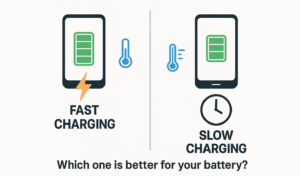
Battery Technology Demystified: Fast Charging Standards Compared and Essential Battery Health Tips
Modern smartphones and laptops have become extensions of ourselves, but their usefulness is entirely dependent on one crucial component: the battery. As our reliance on these devices grows, so does our expectation that they should charge faster and last longer. This has led to a proliferation of fast charging standards and a wealth of—often conflicting—advice on how to preserve battery health. This guide cuts through the confusion, providing a detailed comparison of the major fast charging protocols and offering science-backed tips to keep your battery performing at its best for years to come.
Part 1: The Science of Speed – A Deep Dive into Fast Charging Standards
Fast charging isn’t as simple as pushing more power into a device. It’s a sophisticated, digitally negotiated conversation between your charger and your device’s battery management system. This conversation, governed by a specific charging protocol, dictates how much power is sent and how quickly to ensure speed without compromising safety .
At the heart of modern fast charging is the shift from fixed, low-power output to dynamic, intelligent power delivery. Here are the most widely used protocols on the market today.
USB Power Delivery (USB PD): The Universal Standard
USB Power Delivery, established by the USB Implementers Forum (USB-IF), has emerged as the leading cross-platform fast charging standard . Its goal is to create a unified charging experience for a vast array of devices, from smartphones and tablets to laptops and monitors.
How it works: USB PD enables a charger and device to negotiate the most appropriate power profile in real-time. Instead of a fixed 5V output, it supports multiple voltage levels, typically 5V, 9V, 15V, and 20V . This flexibility is crucial for power-hungry devices like laptops, which require higher voltages to charge efficiently.
Key Versions and Capabilities :
USB PD 2.0: Supported fast charging up to 100W (20V/5A), primarily designed for charging laptops and other high-power devices.
USB PD 3.0: Introduced significant safety improvements, faster fault detection, and most importantly, the Programmable Power Supply (PPS) specification.
USB PD 3.1: A major update that extended the power range to deliver up to 240W over a standard USB-C cable. It added new voltage profiles (28V, 36V, and 48V) to support even more powerful laptops and other high-performance devices .
The power profile negotiation is incredibly fast, typically completing in under 100 milliseconds, and built-in protections react to overcurrents or overvoltages within milliseconds to ensure safety .
Devices that use USB PD: This list is extensive and includes iPhones (iPhone 8 and later), Google Pixel phones, Nintendo Switch, iPad Pro, MacBook, and a vast number of Windows laptops .
Programmable Power Supply (PPS): Precision Charging for Battery Health
Programmable Power Supply is an extension of the USB PD 3.0 standard and represents the most refined approach to fast charging today . While standard USB PD negotiates a fixed voltage, PPS takes it a step further by enabling real-time, dynamic adjustments.
How it works: PPS allows the device to request minute changes in voltage and current—in increments as small as 20mV every 10 seconds—to perfectly match the battery’s electrochemical needs at any given moment .
Why it matters :
Reduced Heat: By precisely aligning the voltage with the battery’s chemistry, PPS minimizes energy wasted as heat, which is a primary cause of battery degradation.
Improved Efficiency: It allows smartphones to sustain higher charging wattages for longer periods without overheating and throttling.
Extended Battery Lifespan: Lower thermal stress directly translates to a longer overall cycle life for the battery.
Devices that use PPS: This standard is widely adopted in high-end Android smartphones, particularly those from Samsung (Galaxy S20 series and later, Note10 series) and Google (Pixel series) . Apple devices also use PPS, but tend to employ more conservative charging profiles to prioritize long-term battery health over raw speed .
Qualcomm Quick Charge (QC): The Android Pioneer
Qualcomm’s Quick Charge technology was one of the first to popularize fast charging in the Android ecosystem and is found on millions of devices powered by Snapdragon processors .
How it works: Quick Charge, especially in its earlier versions, boosts voltage (e.g., from 5V to 9V or 12V) to significantly increase power delivery beyond the standard 5V USB limit. Later versions introduced more intelligent voltage regulation .
Version Summary :
QC 2.0 & 3.0: QC 3.0 was a major step forward, introducing high-resolution voltage steps (200mV increments) for more precise control.
QC 4+ & QC 5: Recognizing the industry’s move toward standardization, these later versions added support for USB PD and PPS. QC 5, for instance, boasts the ability to charge a phone from 0 to 50% in just five minutes using “Dual Charge” technology.
Devices that use QC: Any Android device with a Qualcomm Snapdragon chip, including older Samsung flagships (up to the S10 series), and phones from brands like Xiaomi and OnePlus, may support some version of Quick Charge .
Proprietary and Other Protocols
Beyond the universal standards, several manufacturers have developed their own proprietary fast charging systems to push speeds even higher within their own ecosystems.
Samsung Adaptive Fast Charging (AFC) : Derived from QC 2.0 and optimized for Samsung devices, AFC typically provides 9V/1.67A (15W) charging. It’s widely supported across Samsung Galaxy devices and includes thermal and voltage surge protection.
Huawei Fast Charging Protocol (FCP) : Huawei’s proprietary system uses a 9V/2A output and a dedicated charging chip inside the phone for secure, high-speed charging with smart voltage control and temperature protection.
VOOC / SuperVOOC (Oppo, OnePlus, Realme) : This technology, used by Oppo, OnePlus, and Realme, takes a different approach. Instead of boosting voltage, it increases current through a technique called “direct battery charging.” This high current flows directly into low-voltage cells for extreme charging speeds but requires a matched charger, cable, and phone to function.
Fast Charging Protocol Comparison Table
Part 2: A Lifetime of Power – Essential Tips for Battery Health Preservation
Understanding how to charge your device is only half the battle. Preserving its long-term health requires adopting a few key habits. Lithium-ion batteries, which power nearly all modern devices, are consumable components that degrade over time, but you can significantly slow this process .
1. Master the 20-80% Charging Rule
Lithium-ion batteries experience the most stress at the extreme ends of their charge—when they are nearly empty or nearly full. To maximize their lifespan, it’s best to keep them in a “sweet spot” .
Avoid Deep Discharges: Letting your phone battery regularly drop to 0% forces a “deep discharge cycle,” which contributes to wear . Aim to plug in when your battery falls to around 20% .
Don’t Dwell at 100%: Charging to 100% and keeping the device plugged in creates high voltage stress on the cells . If possible, unplug once it reaches around 80-90%. For overnight charging, many modern phones have smart charging features that learn your routine and delay the final top-up until just before you wake up, preventing the battery from sitting at 100% for hours .
2. Heat is the Enemy
Heat is the single biggest enemy of lithium-ion battery health . High temperatures accelerate the chemical reactions inside the battery, leading to faster capacity loss and, in extreme cases, can create a serious safety risk.
Avoid Direct Sunlight: Never leave your phone charging on a car dashboard, a windowsill, or anywhere it will be exposed to direct sun .
Be Mindful During Charging: Remove thick, insulating cases while charging, as they can trap heat. If your phone feels uncomfortably hot while charging, unplug it and let it cool down .
Monitor During Heavy Use: Demanding activities like gaming or video recording generate their own heat. If you’re doing these while charging, be extra vigilant about temperature .
Don’t Charge in Hot Environments: Avoid charging your device in a hot car or any other extremely warm location .
3. Use Certified Chargers and Quality Cables
The safety and longevity of your battery depend on clean, stable power delivery. Substandard or counterfeit accessories can deliver inconsistent power, fail to communicate properly with your device, and potentially overheat, damaging both the battery and the device .
Buy Reputable Brands: Purchase chargers and cables from trusted brands or directly from your device’s manufacturer. They are engineered to meet safety standards and ensure proper protocol negotiation .
Check Your Cables: Regularly inspect your charging cables for any fraying, kinking, or damage. A damaged cable can create electrical resistance and cause overheating . Replace them promptly.
Avoid “Too-Good-to-Be-True” Deals: Extremely cheap chargers and cables flooding online marketplaces often cut corners on safety features and can be dangerous .
4. Optimize Your Daily Settings for Battery Life
Beyond charging habits, how you use your phone every day has a significant impact on how long a single charge lasts, which indirectly reduces the number of charge cycles you go through.
Manage Screen Brightness and Timeout: The display is one of the biggest power consumers. Reduce your screen’s brightness to a comfortable level and set the screen timeout to a shorter duration, like 15 or 30 seconds .
Turn Off Unused Radios: When you’re not using them, turn off Bluetooth, Wi-Fi, and mobile data. In areas with poor cellular signal, your phone works harder to maintain a connection, which drains the battery faster .
Use Dark Mode: On phones with OLED or AMOLED displays, using a dark theme or wallpaper can save significant power, as black pixels are essentially turned off and consume no energy .
Restrict Background App Activity: Review which apps are running in the background and consuming power. You can restrict background activity for apps that don’t need constant updates (like games or streaming services) .
Enable Power-Saving Modes: Most phones have built-in battery saver modes that automatically adjust settings to extend battery life when you’re running low. You can also schedule these modes to activate at night .
5. Safety First: Know the Warning Signs
While rare, batteries can fail. Being aware of the signs can prevent a dangerous situation .
Physical Deformation: If your device’s case is bulging, showing signs of swelling, or if the screen is separating from the body, stop using the device immediately. This is a sign of a failing battery .
Overheating: If a device gets extremely and uncomfortably hot, especially when not in heavy use or while charging, unplug it and have it checked.
The Golden Rule of Fire Safety: DO NOT throw water on a lithium-ion battery fire. Water can react with the lithium and make the fire much worse. Use only a suitable fire extinguisher (Class D for metal fires, or a standard ABC extinguisher can help contain it) or a fire blanket, evacuate, and call the fire department .
Conclusion: A Symbiotic Relationship
The relationship between your device’s battery and its charger is a complex and intelligent partnership. By understanding the fast charging standards that enable this conversation—from the universal power of USB PD to the precision of PPS—you can choose the right accessories for your needs and ensure they’re working in harmony .
Coupled with mindful daily habits like avoiding extreme temperatures, following the 20-80% rule, and optimizing your settings, you can significantly extend the healthy, useful life of your device’s battery. In a world where we are increasingly tethered to our electronics, a little knowledge goes a long way in keeping them—and us—powered up and ready to go.