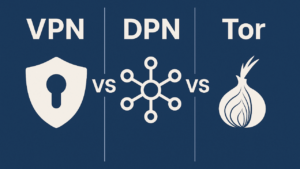
VPNs, Proxies, and Tor: A Complete Guide to Digital Privacy Tools
The Privacy Paradox: More Tools, More Confusion
We are constantly told to “protect our privacy online,” yet the tools designed to do so are often shrouded in technical jargon and misleading marketing. VPNs, proxy servers, and Tor are frequently lumped together as interchangeable solutions for hiding your IP address. This is a dangerous oversimplification.
The reality is stark: these three technologies share a superficial similarity—they can all mask your location—but they are fundamentally different in architecture, security, and purpose. Using the wrong one is not merely inefficient; it can create a false sense of security that leaves you more vulnerable than using nothing at all.
This guide cuts through the marketing noise to provide a rigorous, practical understanding of VPNs, proxies, and Tor. You will learn exactly how each works, their precise strengths and weaknesses, and—most importantly—which tool is actually appropriate for your specific situation.
Part 1: Proxy Servers – The Lightweight Mask
What It Is and How It Works
A proxy server acts as an intermediary between your device and the internet . When configured, your traffic is routed to the proxy server first; the proxy then forwards your request to the destination website. The website sees the proxy server’s IP address, not yours .
Critically, a standard proxy does not encrypt your traffic . Your connection to the proxy is unencrypted, meaning your Internet Service Provider (ISP), network administrator, or anyone else monitoring your connection can still see exactly which websites you are visiting and what data you are transmitting .
The Four Faces of Proxies: Anonymity Levels
Not all proxies are created equal. The privacy they provide exists on a spectrum, defined by what information they reveal to the destination server :
Elite proxies are the only proxy type suitable for privacy-sensitive tasks, yet they remain rare and often command premium pricing .
The IP Address Origin Problem: Datacenter vs. Residential
Even an elite proxy can be detected if its IP address originates from a known datacenter block. Services like Netflix and banking platforms maintain extensive lists of datacenter IP ranges and flag them as proxies .
Residential proxies use IP addresses assigned to real homeowners by ISPs, making them significantly harder to detect. However, the market for residential proxies is ethically murky; many providers obtain these IPs by embedding code in mobile apps or browser extensions, effectively turning infected user devices into proxy exit nodes without meaningful consent . Some providers operate outright botnets.
When Should You Use a Proxy?
Appropriate use cases:
Web scraping and botting: Rotating through many IPs to circumvent basic rate-limiting .
Testing geo-rendering: A developer checking how their site renders in another country .
Casual geo-unblocking: Accessing a region-locked article or video where you have no privacy concerns.
Never use a proxy for:
Sensitive communications (banking, medical, legal).
Protection on public Wi-Fi.
Any scenario where encryption is required.
Verdict: Proxies are not privacy tools. They are location-masking tools. Use them only when you understand and accept that your data is in plain sight .
Part 2: VPNs – The Encrypted Tunnel
What It Is and How It Works
A Virtual Private Network (VPN) routes your internet traffic through an encrypted tunnel to a server operated by your VPN provider . This differs from a proxy in one crucial respect: encryption is not optional; it is the defining feature.
When you connect to a reputable VPN:
Authentication and key exchange occur (often using RSA/ECC asymmetric cryptography) to establish a secure session .
All your traffic is encrypted, typically with AES-256-GCM symmetric encryption .
The encrypted data is encapsulated in a VPN protocol (OpenVPN, WireGuard, IPSec) and transmitted through the tunnel .
Your ISP sees only that you are connected to a VPN server; the content, destination, and nature of your activity are invisible .
The Technical Architecture: Beyond “It Encrypts”
Modern VPN implementations are sophisticated systems. A typical enterprise-grade VPN (e.g., IPSec) involves :
Encryption algorithms: AES-256 for data, RSA-2048/ECC-256 for key exchange.
Integrity checks: HMAC-SHA256 to ensure data is not tampered with.
Perfect Forward Secrecy: Session keys are ephemeral; compromising one key does not compromise past sessions.
Replay protection: Sequence numbers prevent attackers from resending captured packets.
This is not theoretical. This is what your traffic looks like to an eavesdropper: gibberish.
The Trust Problem: Your VPN Provider Is Your New ISP
While a VPN prevents your ISP from spying on you, it transfers that trust to your VPN provider. They see everything your ISP used to see: every domain you visit, every app you use, the timestamps and volumes of all your activity .
This is why “no-logs policies” and independent audits are critical. A VPN provider that claims not to log your activity should be able to prove it through third-party audits (e.g., Cure53, Deloitte). If a provider refuses audits, they are making an unverifiable claim .
What VPNs Cannot Do
It is essential to understand the limits of VPN technology:
VPNs do not make you anonymous. They make you a customer of a VPN company. That company knows who you are if you paid with a credit card, PayPal, or even email .
VPNs do not prevent browser fingerprinting. Your browser configuration, screen resolution, installed fonts, and extensions create a unique fingerprint that persists regardless of IP address .
VPNs are not immune to traffic analysis. By observing packet sizes and timing patterns, a sophisticated adversary can sometimes infer whether you are streaming video, browsing text, or using VoIP—even without decrypting the traffic .
When Should You Use a VPN?
Appropriate use cases:
Public Wi-Fi protection: Encrypting traffic at coffee shops, airports, hotels .
Hiding browsing activity from your ISP: Preventing bandwidth throttling or avoiding intrusive tracking .
Bypassing geo-restrictions: Accessing streaming libraries from other countries .
Remote work: Secure access to corporate networks .
When a VPN is insufficient:
When your threat model includes a global adversary (nation-state intelligence agencies).
When you require actual anonymity, not just privacy from commercial surveillance.
Verdict: VPNs are excellent privacy tools for everyday threat models. They are not anonymity tools. Choose providers with audited no-logs policies and a clear business model (pay for the service, not “free” offerings that monetize your data).
Part 3: Tor – The Anonymity Network
What It Is and How It Works
Tor (The Onion Router) is not a single server or a company. It is a decentralized, volunteer-operated network designed explicitly for anonymity, not merely privacy .
Tor’s architecture is fundamentally different from both proxies and VPNs:
Multi-layered encryption (Onion Routing): Your data is encrypted in multiple layers—like the layers of an onion. Each layer can only be decrypted by a specific node in the chain .
Three-node circuits: By default, Tor builds a circuit of three relays:
Guard node: Knows your IP address but not your destination.
Middle node: Knows neither your IP nor your destination; merely passes traffic.
Exit node: Knows your destination but not your IP .
No single point of knowledge: Critically, no single node knows both where the traffic came from and where it is going. This is Tor’s core innovation and what distinguishes it from VPNs .
The Price of Anonymity: Latency and Usability
Tor’s security model imposes significant costs:
Speed: Routing through three volunteer-run relays across the globe introduces substantial latency. Tor is unusable for streaming, real-time gaming, or high-bandwidth applications .
Exit node vulnerability: The final layer of encryption is removed at the exit node, and the data is sent to the destination in plaintext. If you are not using HTTPS, the exit node operator can read your traffic. This is why Tor Browser forces HTTPS .
Not immune to global adversaries: Standard Tor does not protect against a global passive adversary—an attacker capable of monitoring traffic at both the guard node and the exit node simultaneously. This is a known, acknowledged limitation . (Academic research continues on extensions like B-Tor to address this, but these are not yet deployed in the public Tor network) .
Tor Browser: The Intended Interface
You should not attempt to “configure your whole system” to use Tor. The correct way to use Tor is through Tor Browser, a hardened version of Firefox specifically configured to minimize browser fingerprinting and enforce HTTPS . It disables plugins, limits extensions, and clears your session state by design.
When Should You Use Tor?
Appropriate use cases:
Whistleblowing and activism: Communicating under oppressive regimes.
High-stakes anonymity: When your identity, if discovered, could result in imprisonment, violence, or severe professional consequences.
Accessing .onion services: Websites hosted within the Tor network that are not accessible via the clearnet.
Do not use Tor for:
Streaming Netflix (it will be unbearably slow and frequently blocked).
Everyday browsing (you likely do not need this level of protection).
Situations where speed is a requirement.
Verdict: Tor is the gold standard for anonymity, not privacy. It is a specialized tool for high-risk scenarios. For everyday protection against advertisers and ISPs, it is overkill and inconvenient.
Part 4: The Comparison Matrix
Sources:
Part 5: Dangerous Combinations and Common Misconceptions
“Should I Use a VPN with Tor?”
Generally, no. The security community’s consensus is that adding a VPN to Tor usually reduces anonymity rather than enhancing it .
VPN before Tor: Your VPN provider sees that you are connecting to Tor. You are now trusting both the VPN (which likely requires payment and personal information) and the Tor network. You have added a potential point of failure and logging.
VPN after Tor (Tor over VPN): Some providers offer “Tor over VPN” servers. This is acceptable if you understand the trade-off: the VPN protects you from malicious exit nodes, but the VPN provider knows you are using Tor.
The safe, standard practice is: Use Tor Browser as intended, without a VPN. If you are in a country that blocks Tor, use Tor Bridges (obfuscated entry points), not a commercial VPN .
“Free Proxies Are Fine for Occasional Use”
False. Free proxies are overwhelmingly unsafe. They are often operated by malicious actors who log credentials, inject ads, or steal session cookies. The operational cost of running a proxy server is non-zero; if you are not paying, you are the product—or the victim .
“A VPN Makes Me Completely Anonymous”
Dangerously false. Anonymity requires that no persistent identifier links your past and present activities. A VPN provides a static exit IP (or pool of IPs) tied to your account. Correlating activity across time is trivial for any adversary who compels the VPN provider to produce logs—or if the provider keeps them voluntarily .
Part 6: Decision Framework – Which Tool Do You Actually Need?
Do not ask “Which is better?” Ask: “What is my threat model?”
Conclusion: Know Your Tool, Know Your Threat
The VPN, proxy, and Tor are not competitors. They are different instruments in a larger toolkit, each designed for a specific job.
A proxy is a location spoofer. It changes your apparent address but leaves your data exposed. Use it for tasks, not privacy.
A VPN is a privacy tunnel. It protects your data in transit and hides your activity from your ISP. It is the right choice for everyday digital hygiene.
Tor is an anonymity system. It is designed to resist sophisticated adversaries attempting to link your identity to your online activities. It is powerful, but it is also slow and requires specific usage patterns to be effective.
The most dangerous privacy tool is the one you use incorrectly. Understand the architecture. Respect the limitations. Choose accordingly.
One final, critical rule: If you are in a situation where you genuinely need anonymity (not merely privacy), do not rely solely on a single article. Anonymity is a discipline, not a product. Seek out established operational security (OpSec) resources specific to your threat model. The tool is only the beginning.